More Design Model Workflows with Cesium
Today, we're excited to share our second major technology preview focused on design model workflows in Cesium. In June, we introduced direct Cesium ion tiling support for widely used design formats, along with the Asset Elements API for querying model metadata. Now, we are expanding what you can do with design models after they are in Cesium, from keeping models current and identifying changes between versions to precise snapping, improved clipping and insets, georeferencing, and improvements to design model 3D tileset streaming and rendering.
Built on proven Bentley technology, including the iTwin Platform and iModels, these new capabilities make it easier to bring detailed design models and geospatial data together to create interactive, performant 3D digital twins. Early adopters are already using Cesium's new features to extend existing workflows. Engineering teams are generating and evaluating multiple design options, then sharing them in Cesium's 3D geospatial context to support stakeholder engagement and collaborative design reviews. State departments of transportation are bringing information from disparate systems into a single visual canvas, enabling teams to collaborate more effectively and accelerate decision-making.
Below we share how these latest set of features help users create powerful custom workflows for complex design and infrastructure data with Cesium that support better collaboration and faster, informed decisions.
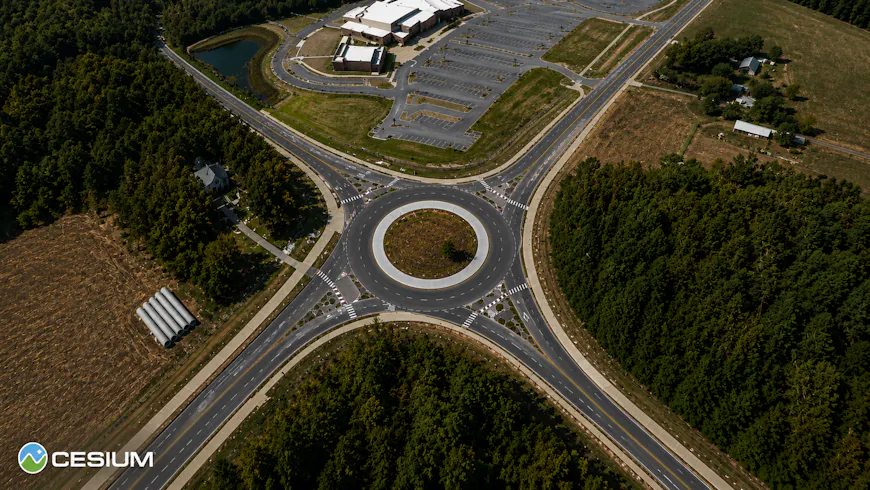
With the enhanced design pipeline, element properties travel with the geometry from source model to 3D Tiles.
Keep models current with continuous design updates
Design models change through a project. Now, when a design changes, you can re-upload the updated design to Cesium ion as a new version to the existing asset.
This reduces the manual work required to keep digital twins current as designs evolve and updating ion asset IDs. In the coming months, we'll expand continuous updates to additional data types in Cesium ion.
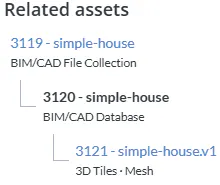
In Cesium ion, a listing of the 3D Tiles versions for a BIM/CAD model. Read more about versioning design models in Cesium ion in Model versions and content updates.
See exactly what changed
Updating a model is only part of the workflow; understanding what changed between versions can be just as important.
The new Change Detection API identifies elements that were added, removed, or modified between design updates. Developers can query those changes and isolate or zoom directly to affected elements, including elements that are internal or hidden from view.
Instead of manually comparing entire method models, applications can surface the changes that matter.
This Sandcastle demonstrates our new change detection capabilities. It compares the latest two versions of a BIM/CAD Database model and visualizes inserted, updated, and deleted elements in CesiumJS.
Bring designs and geospatial context together with GPU-driven clipping
Placing a design into its real-world environment often means dealing with terrain that overlaps roads, buildings, excavations, and other proposed infrastructure.
CesiumJS now uses a GPU-driven approach to support detailed clipping polygons, including polygons with holes. Fully clipped tiles can be excluded from loading, helping maintain smooth runtime performance even with complex clipping areas.
In the coming months, Cesium ion will also generate precise model footprints automatically, reducing the need to manually draw clipping polygons.
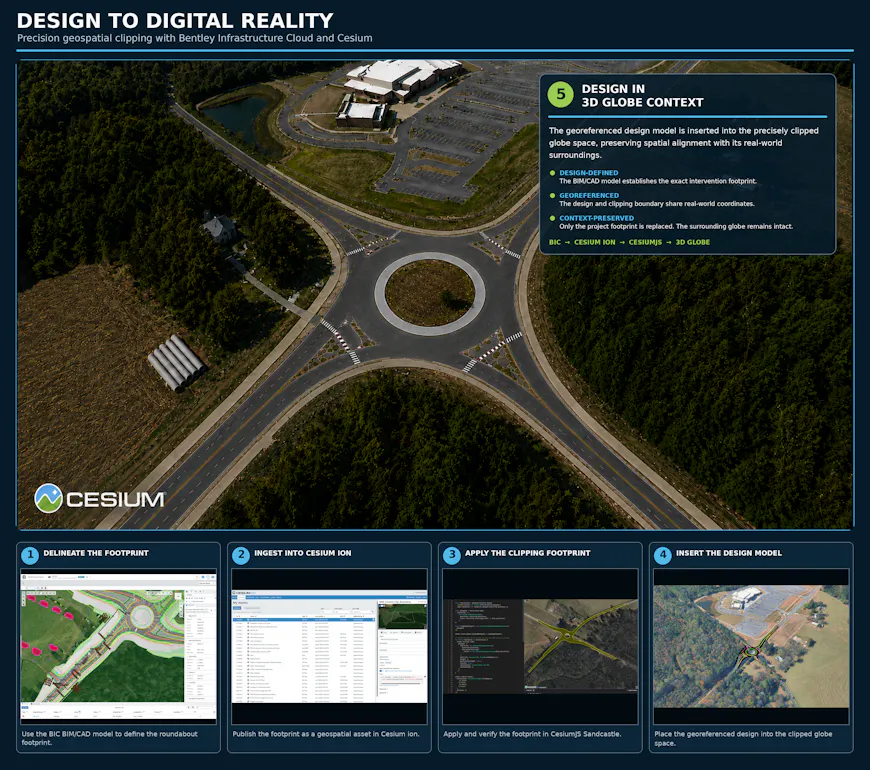
With new GPU-driven clipping in CesiumJS, you can precisely place designs into their real-world environment, clipping them against terrain, buildings, and other infrastructure for a seamless digital twin.
Select design elements with precise snapping
Runtime 3D Tiles are optimized for streaming, which means they're often simplified or decimated. That's great for rendering performance, but imprecise for tasks like measurement, clash detection, or exact placement. Design review and engineering workflows need to reference the original model geometry, not an approximation of it.
Our new snapping workflow combines client and server capabilities to query the original source geometry of your design model. This allows users to snap directly to edges, vertices, and midpoints with millimeter-level precision. By leveraging "AEC" glTF extensions for preserving information about edge visibility and other details essential to BIM/CAD models, this workflow preserves rich design semantics and supports interoperability across tools and workflows.
This same capability will provide the foundation for additional tools, such as measurements, coming in a future release.
Vertex snap on source model geometry, streamed at full precision.
Position models with the CRS Search API
Getting a design model into the right place starts with the right coordinate reference system.
The new CRS Search API in Cesium ion lets developers search for valid coordinate systems and apply them when creating or posting assets. This makes it easier to build georeferencing directly into design model workflows and confidently position models into their real-world location.
Tile only the content you need
Detailed CAD and BIM models can contain more information than an application may need. Embedding unused data into 3D tilesets increases the size and reduces streaming performance.
New ingestion content filtering lets you exclude meshes, lines, or text during ingestion. Removing unnecessary content creates lighter, more focused tilesets optimized for what your application actually needs to stream and render.
Bring CAD-Style edge display to 3D Tiles
Engineering models often rely on crisp edges and silhouettes to make complex geometry easier to understand. In July, we announced co-authored glTF extensions EXT_mesh_primitive_edge_visibility to bring that visual language to the web. CesiumJS and Cesium for Unreal use this extension to efficiently render sharp edges while avoiding visual issues such as z-fighting.
New design model tilesets generated by Cesium ion will include these extensions by default, enabling CAD-style edge rendering out of the box.
CesiumJS new rendering capability supports enhanced visual clarity for engineering models on the web, enabling better understanding and inspection of complex geometry.
What's next: coming later this year
We're continuing to expand design model workflows in Cesium, with several new capabilities that will release in 2026:
- Automated footprint generation: Auto-calculating precise footprints in Cesium ion for easier georeferencing.
- Interactive georeferencing wizard: An intuitive UI wizard to position and orient models faster within Cesium ion.
- Advanced asset element querying API: Support for element property calculations and advanced metadata queries directly via Cesium ion API.
- Client-side model navigation: Enhanced client-side visibility filters based on model hierarchy and design model tree navigation APIs.
- Snap-to-geometry measurement tools: Measurement widgets in the Cesium ion SDK that use precise snapping to reference original source geometry for millimeter-level accuracy.
Get started today
Keep your published design models up-to-date with the latest changes! Sign up for a free Cesium ion account, upload your DWG, RVT, IFC, or DGN files, and push updates as your design evolves, with millimeter-precise snapping and change detection built in from day one.