Introducing Cesium for Unity Web
Cesium for Unity is now available to be deployed via WebGPU as part of Cesium for Unity's December 1 release. This was enabled by community support from Brendan Duncan of Unity Technologies.
Brendan is a staff engineer for Unity. He focuses on web graphics, implementing the WebGL and WebGPU graphics driver used by the Unity web player. This post by Brendan outlines the feature and information on how to build and deploy Cesium for Unity on the Web.
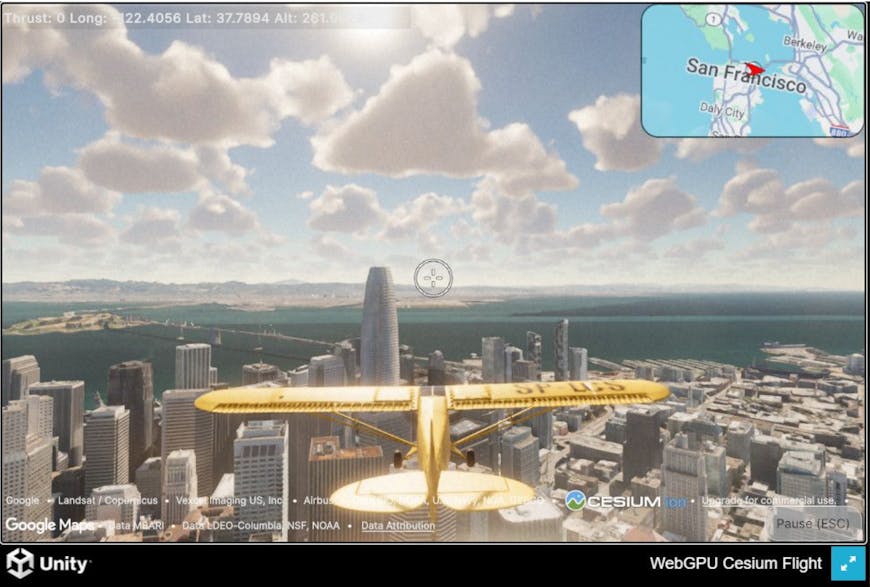
A popular feature request from the Cesium community has been support for Cesium for Unity in the Unity Web Player. As of v1.20.0, Cesium for Unity can now be deployed on the web, enabling easy-to-share experiences with massive geospatial data streamed through 3D Tiles; no app stores or installs required.
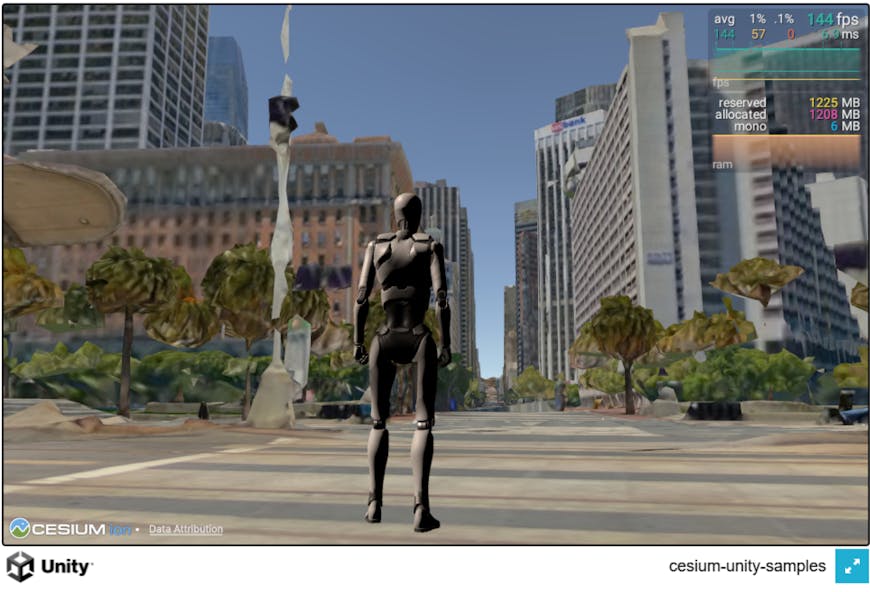
Web support in Cesium for Unity is made possible through WebAssembly, the technology that Unity leverages to enable content to run at near native speeds in the browser. Cesium for Unity uses a compiler toolchain called Emscripten to compile its core C++ code, including its Cesium Native libraries, to WebAssembly. Additionally, it makes heavy use of multithreading to stream in tile data on worker threads to preserve main thread performance.
While CesiumJS users are often more familiar with web development—bringing the Cesium viewer into their own stacks and user interfaces—Unity developers simply want to port their applications to the web without extra tools or hassles. With just a URL, users can explore geospatially accurate 3D environments, which enable public-facing applications, educational tools, urban planning visualizations, and interactive mapping experiences.
Getting started
First, create a project that uses Cesium for Unity. You can start with the Cesium for Unity Samples or build one from scratch using the Quickstart tutorial. Once your application is ready to build, setting up Cesium for Unity for Web deployment follows the standard Unity workflow.
When building for the web, follow these steps:
- Update Cesium for Unity to v1.20.0 or newer: Ensure you are using the latest version of the Cesium for Unity package via the Unity Package Manager.
- Use Unity 6+: These versions are optimized for modern WebGL and WebGPU standards and include the necessary options for multithreaded WebAssembly.
- Configure Multithreading: You must enable Native C/C++ Multithreading in your Unity Player Settings for Web. Cesium for Unity will not build for the web without it.
- Increase Memory Limits: You may want to increase the maximum memory limits for the web player to handle more memory-intensive tilesets. Unity currently supports a maximum memory limit of 4GB.
- Server Headers: When hosting your web build, your server must serve files with COOP (Cross-Origin-Opener-Policy) and COEP (Cross-Origin-Embedder-Policy) headers to allow multithreading. The security requirements can complicate hosting multithreading enabled Web Assembly, but they are necessary due to past exploits of web browsers.
Web support in Cesium for Unity is currently experimental, so careful optimization may be required for high-memory applications to stay within browser memory limits.
The path forward
Combining Unity's creative tools, Cesium's geospatial expertise, and the web's universal accessibility creates exciting opportunities for developers working at the intersection of geography and interactive 3D.
Together, Cesium for Unity and Web open doors for accessible geospatial applications. Urban planners an share interactive 3D city models with stakeholders through simple web links. Educators can create explorable geographic lessons that students access from any device. Emergency management teams can visualize disaster scenarios using accurate terrain data without specialized software installations. Tourism applications can let users virtually explore destinations in photorealistic 3D. Real estate developers can showcase properties in geographic context. Researchers can create interactive data visualizations that combine scientific datasets with accurate geographic representation.
With increasing community use, testing, and feedback, Cesium and Unity are actively collaborating to mature the web backend from experimental to full support. As browsers continue to evolve and WebAssembly matures, we're especially interested in opportunities to further narrow the performance gap between web and native applications.
This is a community-driven effort, so we want developers to test this workflow and tell us what works well and where it falls short. Your feedback directly informs where we invest next.
Try out web support with Cesium for Unity today and let us know what you think on the community forum.